How to Open PSD Files Without Photoshop (Free in Browser)
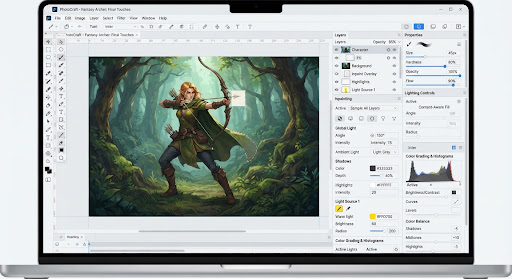
Need to inspect layers, hide text, or export assets from an Adobe .PSD file without paying for Creative Cloud? Load PhotoCraft directly below — it runs pure Rust compiled to WebAssembly inside your browser with zero server uploads.
TL;DR Answer
Use PhotoCraft WebAssembly below to open .psd files locally in Chrome, Edge, Firefox, or Safari. It parses 308/309 PSD structural specs (~74% visual fidelity for advanced effects), keeps your files 100% offline in RAM, and exports PNG/WebP/TIFF free with no account.
Note: Browser tabs are limited to ~2–4 GB of memory. For huge multi-layer PSDs or 4K timelines, download the native Rust desktop build.
3-Step Workflow
Launch Local Runtime
Click Launch PhotoCraft above. The ~15 MB WebAssembly bundle caches locally and falls back to WebGL2 automatically if WebGPU is unavailable.
Drop Your .PSD File
Drag any .psd onto the viewport. Layer trees, opacity values, blend modes, and alpha masks are decoded in client memory.
Edit & Export Cleanly
Toggle visibility, crop, or adjust colors non-destructively, then export to PNG, JPEG, WebP, or download the native desktop app for 1 GB+ files.
PSD Compatibility & Honest Limits
Supported Well
- Raster layers, nested layer groups, and clipping masks
- Standard blend modes (Multiply, Screen, Overlay, Soft Light)
- 8-bit and 16-bit RGB documents with transparency
- 100% private client-side parsing (ideal for NDA client assets)
Current Alpha Caveats
- Complex Photoshop Smart Objects & procedural Layer Styles render at ~74% visual parity
- CMYK print profiles and 32-bit HDR PSB files work better in the native desktop build
- Browser tab RAM caps around 2–4 GB; use Desktop PhotoCraft for huge files
Frequently Asked Questions
Does PhotoCraft upload my PSD files to a server?
No. PhotoCraft runs as a client-side WebAssembly binary inside your browser tab. Your PSD layers and pixels stay on your own device.
How well does PhotoCraft support Photoshop PSD layers?
PhotoCraft passes 308 of 309 structural PSD parsing tests (~74% visual parity for complex Smart Objects and Layer Styles). Standard raster layers, groups, masks, and blend modes open cleanly.
What if I have a 1 GB+ PSD file?
Browser tabs are constrained by WebAssembly 32-bit memory limits (~2–4 GB). For multi-gigabyte PSB/PSD files, download the native Rust desktop build of PhotoCraft.