GetArtCraft Apps (GetArCraft) / VideoCraft
VideoCraft AI: Open-Source Video Generation, GitHub & PhotoCraft VideoCraft Timeline
Explore VideoCraft (VideoCraft AI / VideoCraft open source on VideoCraft GitHub) alongside PhotoCraft in the GetArtCraft desktop suite. Turn still images into cinematic camera shots and compare generated clips locally.
Try three camera moves on one image
Pre-rendered examplesChoose a move, compare sample clips, and copy the prompt.
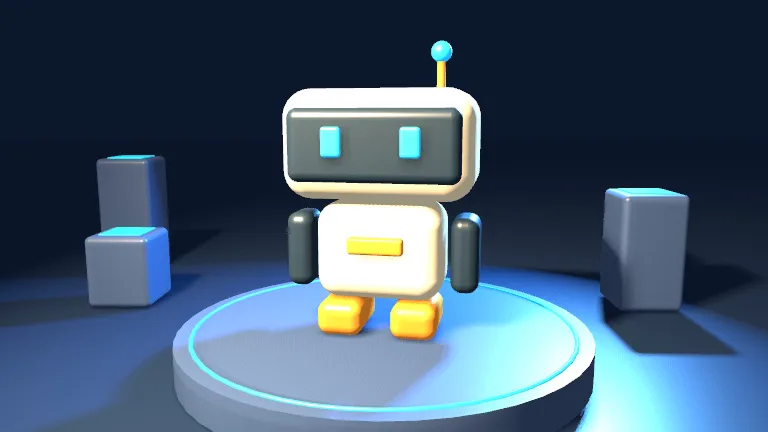
Move closer to draw attention to the robot and its expression.
Slow dolly push toward the small cream robot. Keep its face centered and preserve the blue studio lighting.
Original 3D study · No upload needed for this demo
One scene, three camera moves
The input still and three four-second clips are original 3D renders made for this guide. Each clip starts with the same scene, framing and light, then changes the camera move. The prompts are starting points for testing those moves with an image-to-video model.
- Push in. Move closer to draw attention to the robot and its expression. Open push in clip
- Pan. Sweep the view sideways to show how the robot sits within the set. Open pan clip
- Orbit. Curve around the robot to reveal its side and the depth of the set. Open orbit clip
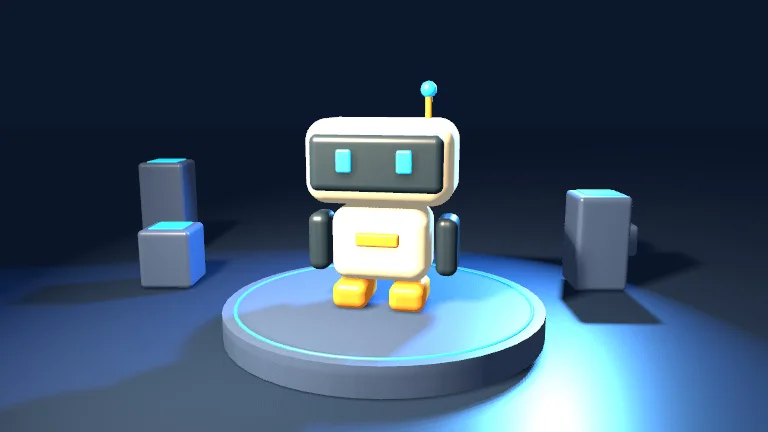
Try a still-to-video workflow in ArtCraft
- Open an ArtCraft build for your platform and choose an available image-to-video model.
- Use the sample still above or compose your own starting image with ArtCraft’s scene tools.
- Copy a camera prompt from the demo. Try a short clip first and compare framing, subject shape and background details.
- Keep the same starting image and change the camera prompt for the next take. Check the chosen provider for available clip lengths, settings and charges.
ArtCraft, hosted video tools and timeline editors
Use ArtCraft to compose a scene and test generation through its supported providers. Compare provider access, model controls and usage costs when choosing a hosted tool such as Runway or Pika. Use a timeline editor such as Premiere Pro when you need to assemble takes, add sound or finish a sequence.
Read the Adobe comparisonFrequently Asked Questions About VideoCraft
What is VideoCraft in the ArtCraft suite?
VideoCraft is the name this guide uses for its ArtCraft video workflows. ArtCraft’s upstream documentation covers scene composition, camera placement and image-to-video generation with supported providers.
What are the minimum hardware requirements for VideoCraft?
Check the current ArtCraft release for desktop system and architecture support. When using a hosted provider, check its requirements and model availability. For an independent local model, verify the backend, model size, precision, resolution and memory requirements in that workflow’s documentation.
Can I use a still image to make a video?
ArtCraft documents an image-to-video workflow. Start with your own image or the sample on this page, then choose a supported model and describe the intended camera movement.
How can I reduce flicker in an AI video?
Start with a short shot and change one setting at a time. Compare subject edges, lighting and background detail across frames. Use a gentler move or a stronger reference image when those details drift.